

Bellevue
1313 156th Avenue NE
, #220
Bellevue, WA 98007
Bellevue, WA 98007
Welcome to myMathnasium! This guide will help centers get their guardians set up on the new portal and understand how Radius is connected to it.
Inviting Guardians
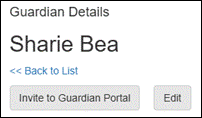
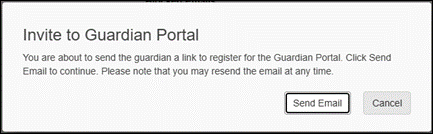
myMathnasium is available for each guardian on a Radius account at your center. Guardian access to the portal is granted by the center on an invite basis.
Guardian Account Setup
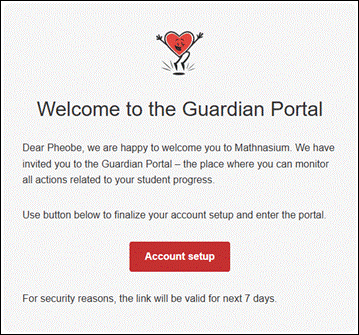
Guardians will begin setting up their account after clicking the account setup button.
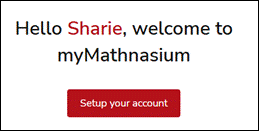
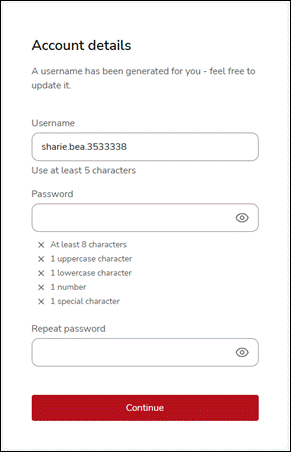
A username will be pre-generated for the guardian based on their first and last name. They are free to update this to any username that is not already taken. Usernames must be at least 5 characters long.
Guardians will also need to set up a password using at least 8 characters, 1 uppercase character, 1 lowercase character, 1 number, and 1 special character.
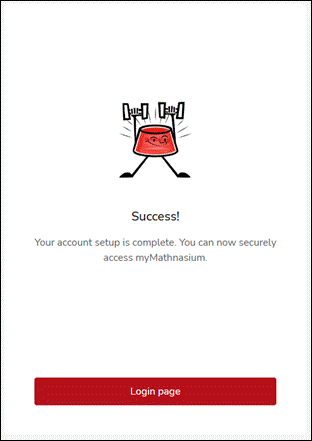
Once their account is created, they will be prompted to login to the portal.
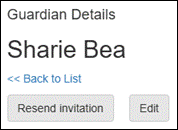
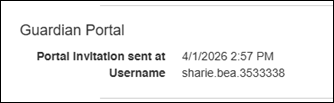
On the guardian details page, you can see the last time you sent the guardian an invite along with their chosen username.
This information is also available in the guardians table on the account details page.

Installing the portal to use as an app
myMathnasium can be visited on any device with a web browser at my.mathnasium.com. However, the portal is best experienced when installed directly to the guardian’s phone as it makes navigation easier and allows for push notifications.
Installing myMathnasium will differ based on the user’s phone operating system and browser. Installation instructions will appear in the settings section when viewing notifications.
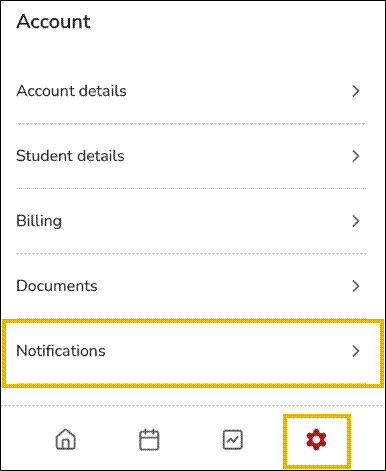
For Apple devices:
Chrome:
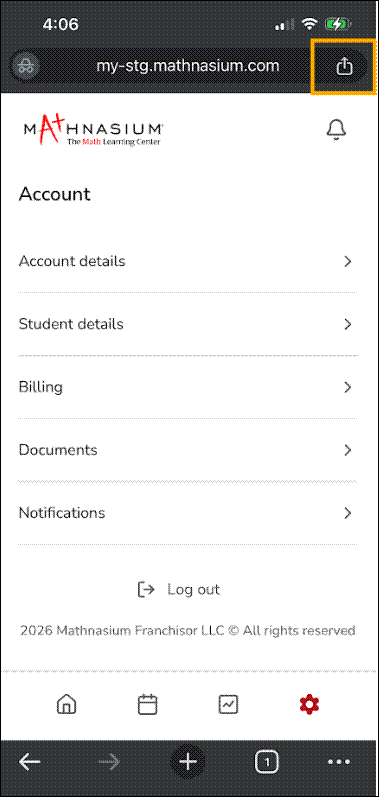
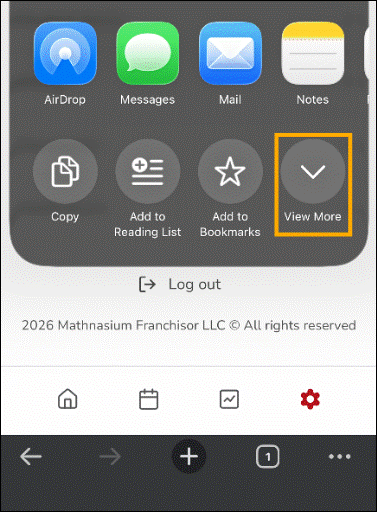
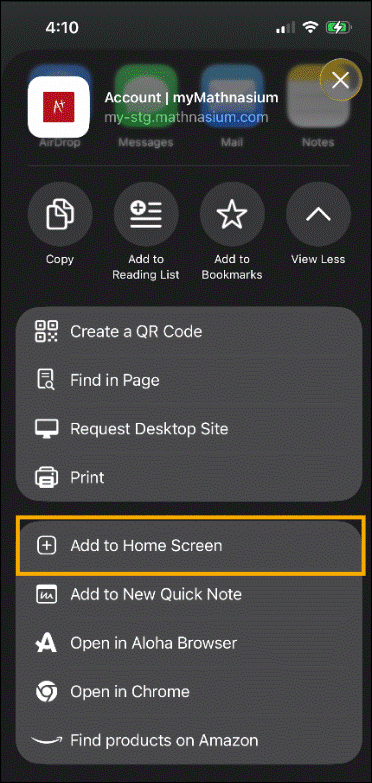
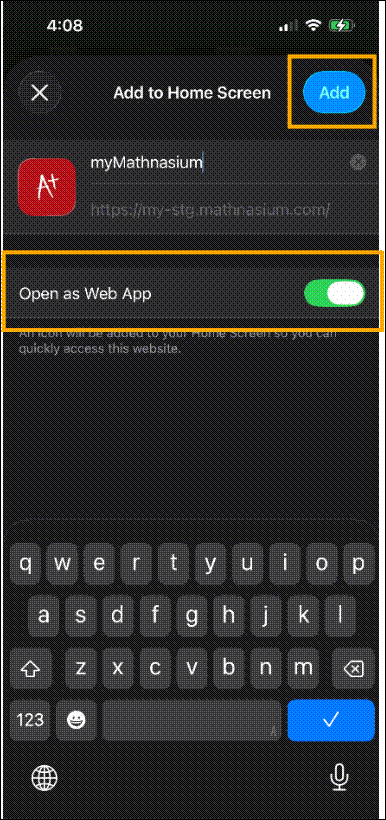
An icon will be added to the guardian’s Home Screen. Notifications can now be managed normally through Apple’s app management.
Firefox
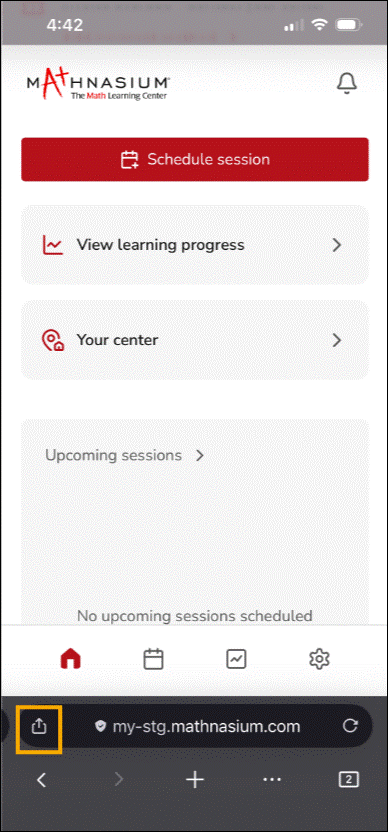
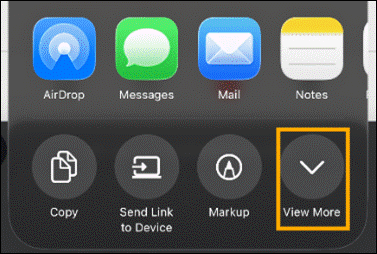
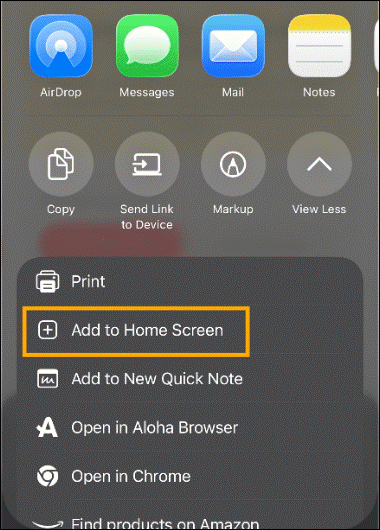
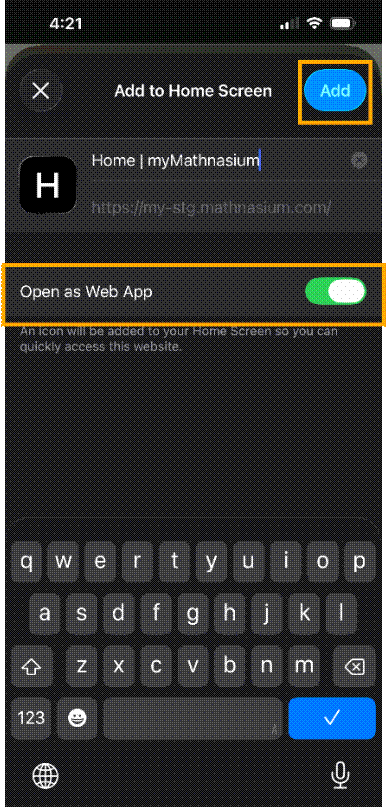
An icon will be added to the guardian’s Home Screen. Notifications can now be managed normally through Apple’s app management.
Safari
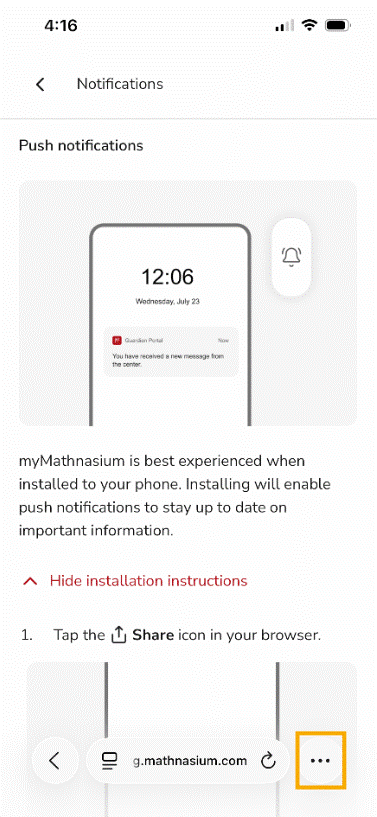
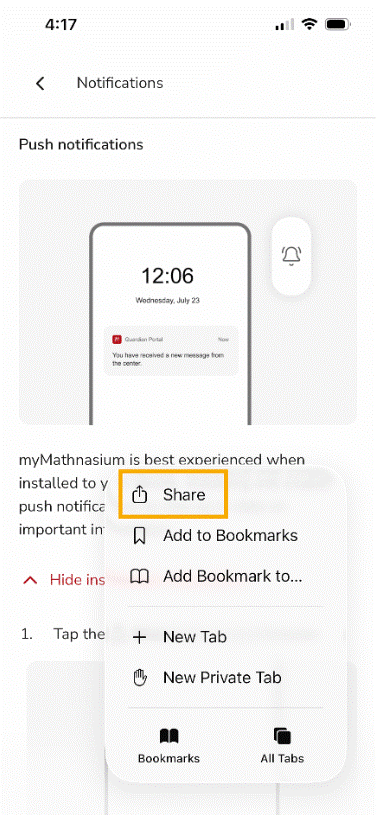
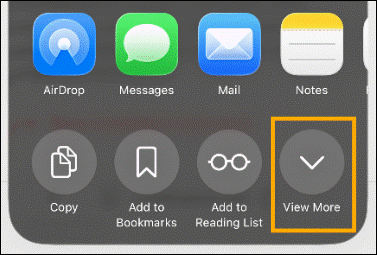
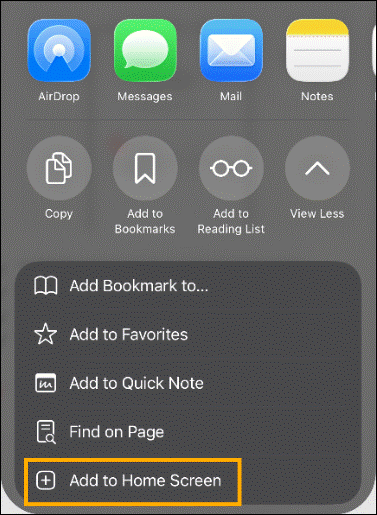
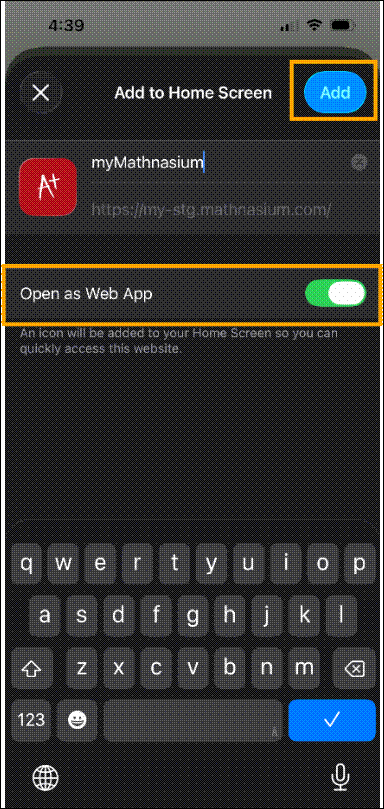
An icon will be added to the guardian’s Home Screen. Notifications can now be managed normally through Apple’s app management.
Logging in
Once a guardian has created their account, they will have to navigate to my.mathnasium.com and use their credentials to log in. If they have already logged in, the system should keep them logged in.
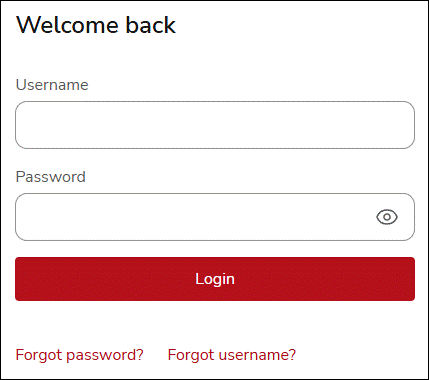
If the guardian has forgotten their password, they can click Forgot password to enter a password recovery flow. This flow will require the guardian to enter in their username to retrieve a verification code from their associated email.
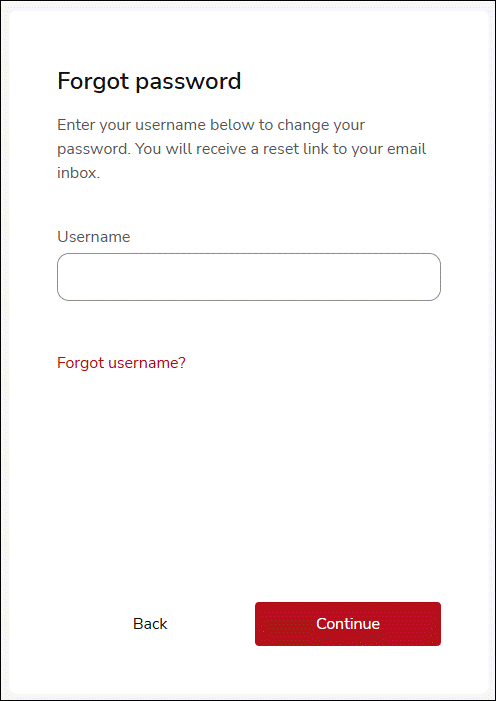
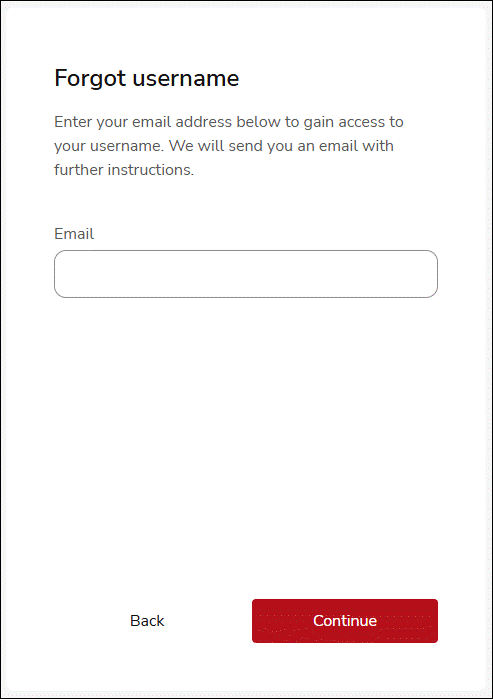
If the guardian has forgotten their username, they can click Forgot username to enter a username recovery flow. This flow will require the guardian to enter in the email address associated with their account. Alternatively, the center can find the guardian username in Radius in their guardian details or account page.

 (425) 643-6284
 (425) 643-6284